
Dell Vostro 15 3000 Series Notebook Quick Start Guide.
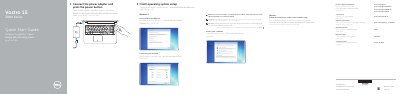
The Dell Vostro 15 3000 Series Quick Start Guide explains how to connect the power adapter and press the power button, finish operating system setup for Ubuntu or Windows 7, set a Windows password, connect to a network, and protect the computer. It also lists Dell support and manual links.
The guide identifies the computer model as Vostro 15-3565 and lists regulatory model P47F and regulatory type P47F006. It shows notebook features including the camera, microphone, USB 2.0 and USB 3.0 connectors, VGA connector, network connector, memory card reader, optical drive, battery, and Service Tag label, plus shortcut keys.
| Computer model | Vostro 15-3565 |
|---|---|
| Regulatory model | P47F |
| Regulatory type | P47F006 |
| USB 2.0 | USB 2.0 connectors |
| USB 3.0 | USB 3.0 connector |
| Video connector | VGA connector |
| Network connector | Network connector |
| Memory card reader | Memory card reader |
Connect the power adapter and press the power button.
Enter the password for the wireless network access when prompted.
The guide points to the Owner’s Manual at Dell.com/support/manuals.
The computer model is Vostro 15-3565.