
The Dell Vostro 3660/3669 Quick Start Guide provides information on how to set up and use the Dell Vostro 3660/3669 computer.
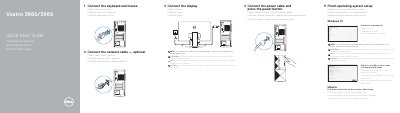
This Quick Start Guide covers initial setup for the Dell Vostro 3660/3669 desktop computer. It explains how to finish operating system setup, connect the power cable, display, keyboard, mouse, and optional network cable, and connect to a network in Windows 10.
It also describes signing in to a Microsoft account or creating a local account, finishing Ubuntu setup, locating Dell apps, using SupportAssist to check and update the computer, and identifies features such as the optical drive, USB ports, VGA, HDMI, and network ports.
| Optical drive | Present |
|---|---|
| VGA port | Present |
| HDMI port | Present |
| USB 3.0 ports | Present |
| Network port | Present |
Connect the display to the discrete graphics card.
Follow the instructions on the screen to finish setup.
Locate Dell apps in Windows 10 and use SupportAssist to check and update your computer.