
Dell Inspiron 11-3157 Quick Start Guide
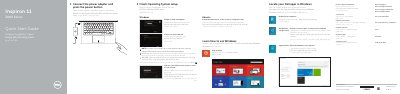
This Quick Start Guide for the Dell Inspiron 11-3157 explains how to finish operating system setup, connect the power adapter, and locate Dell apps in Windows. It also covers registering the computer, using Dell Backup and Recovery, enabling security and updates, connecting to a network, and signing in to a Microsoft account or creating a local account.
The guide lists features such as cameras, microphones, USB and HDMI ports, a media-card reader, and a security-cable slot. It describes shortcut keys for audio, display, wireless, and search, and shows usage modes including Notebook, Tablet, Tent, and Stand.
| Port | USB 3.0 port with PowerShare |
|---|---|
| Port | USB 3.0 port |
| Port | USB 2.0 port |
| Light | Power and battery-status light |
| Buttons | Volume-control buttons (2) |
| Label | Service Tag label |
See Specifications at dell.com/support.
Use the shortcut key to turn off/on wireless.
Enter the password for the wireless network access when prompted.