
Dell Venue 8 Tablet Quick Start Guide

User manual of Dell Venue 8 tablet.
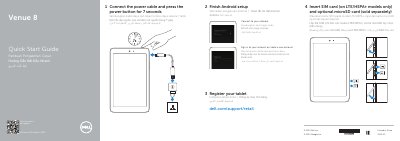

Dell Venue 8 Tablet Quick Start Guide - cover page
Brand
DELL
Category
Tablets
Document type
Quick Start Guide
Language
English
Pages
2
File format
PDF
File size
309 KB
Published
25 November, 2023
Updated
25 November, 2023
Model
Venue 8
MD5 checksum
9A6A9D170D526BC3A750E8CA459BCEDC

About this manual

This document serves as a Quick Start Guide for the Dell Venue 8 tablet. It provides multilingual instructions for inserting SIM and microSD cards, connecting power, and completing the initial Android setup. Users are directed to register their device and connect to a network to begin using the tablet.

What's inside

  • Insert SIM card
  • Insert microSD card
  • Connect power
  • Finish Android setup
  • Register your tablet
  • Connect to your network
  • Product support
  • Regulatory model

Specifications

Regulatory modelT02D
Regulatory typeT02D003, T02D004
Tablet modelVenue 8 LTE/3840
Supported network typesLTE/HSPA+

Frequently asked questions

How do I insert the SIM card?

Insert the SIM card only on LTE/HSPA+ models.

How do I insert the microSD card?

Insert the optional microSD card, which is sold separately.

How do I power on the tablet?

Connect the power cable and press the power button for 7 seconds.

Download PDF (309 KB)

More DELL Manuals


View all DELL manuals →