
The LATITUDE 3340 Quick Start Guide provides instructions on how to connect the power adapter, turn on your computer, finish Windows setup, enable security and updates, connect to your network, and sign in to your Microsoft account or create a local account.
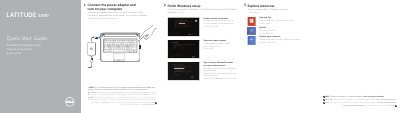
Dell Latitude 3340 Quick Start Guide provides multilingual setup instructions for the computer. It covers connecting the power adapter, turning on the computer, completing Windows setup, and exploring Dell resources. The guide notes that the setup instructions are for computers shipped with Windows 8.1; for Windows 7 and Ubuntu, users should follow the onscreen setup instructions.
Features are identified with numbered callouts, including microphones, camera, power button, USB 3.0 connectors, HDMI connector, network connector, and power connector. The guide also lists product support links, contact details, regulatory and safety information, and the regulatory model P47G.
| Computer model | Dell Latitude 3340 |
|---|---|
| Regulatory model | P47G |
| Input voltage | 100 V AC–240 V AC |
| Input current (maximum) | 1.7 A (65 W)/2.5 A (90 W) |
| Input frequency | 50 Hz–60 Hz |
| Output current | 3.34 A (65 W)/4.62 A (90 W) |
| Output voltage | 19.5 VDC |
Follow the onscreen setup instructions.
The guide points to dell.com/support/manuals.
The computer model is Dell Latitude 3340.