
OptiPlex 7440 All-in-One Quick Start Guide
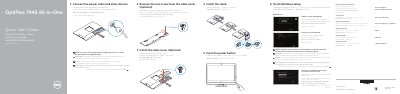
This guide provides step-by-step instructions for setting up the Dell OptiPlex 7440 All-in-One desktop. It illustrates connecting the power cable and peripherals, optionally installing the cable cover and stand, pressing the power button, and completing the Windows 8.1 setup process including security updates, network connection, and Microsoft account sign-in.
The document also includes a detailed diagram of the system's ports and features, regulatory information (model W11C, type W11C001), and references to Dell support resources such as the Owner's Manual, Dell Backup and Recovery, My Dell, and product registration.
| Regulatory model | W11C |
|---|---|
| Regulatory type | W11C001 |
| Computer model | OptiPlex 7440 AIO |
| Operating system | Windows 8.1 |
Connect the power cable and other devices as shown in the guide.
The Owner's Manual is available at dell.com/support.