
Dell OptiPlex 3046 Mini Tower Quick Start Guide

The Dell OptiPlex 3046 Mini Tower Quick Start Guide provides information on how to set up and use the Dell OptiPlex 3046 Mini Tower.
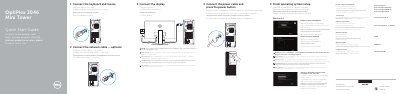

Dell OptiPlex 3046 Mini Tower Quick Start Guide - cover page
Brand
DELL
Category
Desktops
Document type
Quick Start Guide
Language
English
Pages
2
File format
PDF
File size
1.3 MB
Published
25 November, 2023
Updated
25 November, 2023
MD5 checksum
94D093C82D515B44A57D19C6217DEF92

About this manual

The Dell OptiPlex 3046 Mini Tower Quick Start Guide provides essential instructions for setting up the computer, including connecting peripherals such as the keyboard, mouse, display, and power cable.

It includes a detailed map of the system features, identifying various ports and connectors, and offers guidance on completing the operating system setup and accessing Dell support services.

What's inside

  • Finish operating system setup
  • Connect to your network
  • Connect the keyboard and mouse
  • Connect the power cable
  • Connect the display
  • Features

Frequently asked questions

Where should I connect the display if the computer has a discrete graphics card?

If the computer was ordered with a discrete graphics card, the display should be connected directly to that card.

What is required when upgrading from Windows 7 32-bit to Windows 10?

A manual installation of the system drivers is required for this upgrade.

Download PDF (1.3 MB)

More DELL Manuals


View all DELL manuals →