
The Dell Precision Tower 3420 Quick Start Guide provides instructions on how to connect the keyboard and mouse, network cable, power cord, and display.
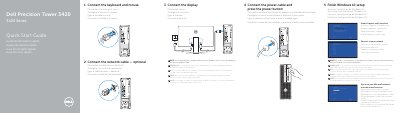
This Quick Start Guide helps you set up the Dell Precision Tower 3420 computer. It covers connecting the keyboard and mouse, network cable, power cable, and display, including a note to connect the display to the discrete graphics card if your system has one.
The guide also explains finishing Windows 10 setup, enabling Support and Protection, connecting to a network, and signing in to a Microsoft account or creating a local account. A features list identifies the system's connectors and ports.
| Optical drive | Present |
|---|---|
| USB 3.0 connectors | Present |
| SD card reader | Optional |
| ACPI S5 wakeup | Supported |
Connect the display to the discrete graphics card.
Enter the password for the wireless network access when prompted.
The computer model is Dell Precision Tower 3420.