
Dell Inspiron 17 5000 Series Laptop Quick Start Guide

A user guide for Dell laptops, covering topics such as unpacking, setup, usage, and maintenance.
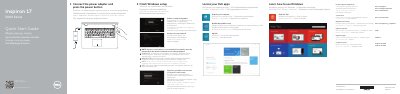

Dell Inspiron 17 5000 Series Laptop Quick Start Guide - cover page
Brand
DELL
Category
Laptops
Document type
Quick Start Guide
Language
English
Pages
2
File format
PDF
File size
310 KB
Published
25 November, 2023
Updated
25 November, 2023
MD5 checksum
9647ED423EE6EBA95B8BC4A35B798C36

About this manual

This Quick Start Guide provides essential instructions for setting up and using the Dell Inspiron 17 5000 Series laptops, specifically models 17-5748 and 17-5749.

It includes guidance on completing the Windows setup, identifying hardware ports and features, and utilizing keyboard shortcut keys for system control.

What's inside

  • Finish Windows setup
  • Product support and manuals
  • Features
  • Shortcut keys

Frequently asked questions

What ports are available on the Dell Inspiron 17 5000 Series?

The laptop includes an HDMI port, network port, USB 2.0 ports, a USB 3.0 port, and a headset port.

How do I connect to a secured wireless network?

When prompted, enter the password for the wireless network access.

Download PDF (310 KB)

More DELL Manuals


View all DELL manuals →