
This document describes how to use a Dell computer.
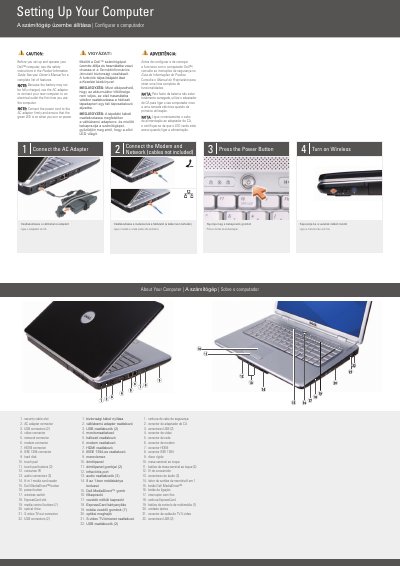
This document provides quick setup instructions for the Dell Inspiron 1525/1526 laptop. It covers connecting the AC adapter, modem, and network cables, as well as turning on the wireless mode and pressing the power button. The guide includes a diagram labeling key components such as the security cable slot, USB connectors, video connector, and media card reader.
Use the AC adapter.
The green LED should be on.
They are not included.