
Dell OptiPlex 3030 All-in-One Quick Start Guide

The Dell OptiPlex 3030 All-in-One Quick Start Guide provides information on how to set up and use the Dell OptiPlex 3030 All-in-One.
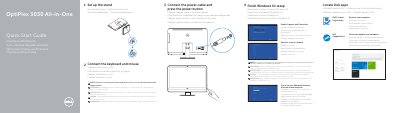

Dell OptiPlex 3030 All-in-One Quick Start Guide - cover page
Brand
DELL
Category
All-in-One Desktops
Document type
Quick Start Guide
Language
English
Pages
2
File format
PDF
File size
362 KB
Published
25 November, 2023
Updated
25 November, 2023
MD5 checksum
9FAF35C3127CBA12D6CF9ABEE54260D3

About this manual

This guide covers initial setup of the Dell OptiPlex 3030 All-in-One, including installing the stand, connecting the keyboard and mouse, connecting power, and finishing Windows 10 setup.

It also identifies the computer's features and connectors and directs users to Dell support, manuals, contact information, and regulatory and safety details.

What's inside

  • Set up the stand
  • Connect the keyboard and mouse
  • Connect the power cable and press the power button
  • Finish Windows 10 setup
  • Features
  • Product support and manuals
  • Contact Dell
  • Regulatory and safety

Frequently asked questions

What should I do if I am connecting a wireless keyboard or mouse?

See the documentation that shipped with the wireless keyboard or mouse.

What should I enter when connecting to a secured wireless network?

Enter the password for the wireless network access when prompted.

Where can I find more information and the Owner's Manual?

See the Owner's Manual at dell.com/support/manuals.

What is the regulatory model?

The regulatory model is D01T.

Download PDF (362 KB)

More DELL Manuals


View all DELL manuals →