
The Dell Latitude 12 5000 Series Quick Start Guide provides instructions on how to connect the power adapter, finish Windows setup, enable security and updates, connect to your network, and sign in to your Microsoft account or create a local account.
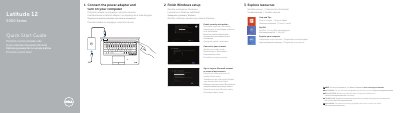
This Dell quick start guide covers the first steps for the Latitude 12 5000 Series laptop: connecting the power adapter and turning on the computer, finishing Windows setup, enabling security and updates, connecting to a network, and signing in to a Microsoft account or creating a local account. It ends with a short list of resources such as Help and Tips, My Dell and computer registration.
The second page names the computer's ports, connectors and indicators, including the network connector, USB 3.0 connectors, HDMI and Mini-DisplayPort connectors, memory-card reader, optional fingerprint and smart-card readers, status lights, touchpad and security-cable slot. It also gives support links, contact details and regulatory and safety information, and lists the regulatory model P25S and computer model Latitude 12-E5250/5250. The text is printed in English, Croatian, Hungarian, Russian and Serbian.
| Computer model | Latitude 12-E5250/5250 |
|---|---|
| Regulatory model | P25S |
| Regulatory type | P25S001 |
| USB | USB 3.0 connectors, one with PowerShare |
| Video connectors | HDMI connector, Mini-DisplayPort connector |
| Card readers | Memory-card reader; contactless smart-card reader (optional) |
| Optional features | Camera, fingerprint reader, smart-card reader, dock connector |
Connect the power adapter and turn on the computer, then finish the Windows setup steps.
Dell refers you to the Owner's Manual at dell.com/support/manuals.
The guide points to dell.com/regulatory_compliance.
Go to dell.com/contactdell.