
OptiPlex 7050 Micro Desktop Quick Start Guide
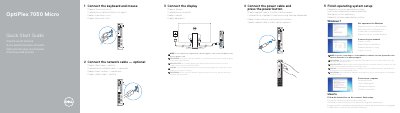
The Dell OptiPlex 7050 Micro Quick Start Guide shows how to set up the computer: connect the keyboard and mouse, optional network cable, display, and power cable, then press the power button. It also covers finishing Windows 7 or Ubuntu operating system setup, setting a Windows password, connecting to a network, and protecting the computer.
The guide includes a labeled list of the computer's ports and features, along with Dell support and manual links, contact information, and regulatory and safety references. It lists regulatory model D10U and regulatory type D10U002.
| USB ports | USB 3.0 Type-C; USB 3.0 with PowerShare; USB 3.0 (Smart Power On); USB 3.0 ports |
|---|---|
| Optional video and legacy ports | VGA, Serial, PS/2, or DisplayPort |
Connect the display. If the computer has a discrete graphics card, connect the display to that card instead.
Enter the wireless network password when prompted.
Follow the instructions on the screen. For Windows 7, set a Windows password and connect to your network; for Ubuntu, follow the on-screen instructions to finish setup.