
Dell Inspiron 660 Computer Quick Start Guide

This document is a quick start guide for a Dell computer, which introduces the parts and functions of the computer.
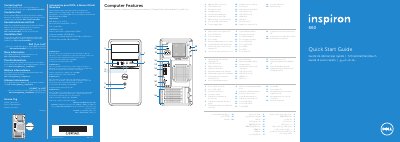

Dell Inspiron 660 Computer Quick Start Guide - cover page
Brand
DELL
Category
Desktops
Document type
Quick Start Guide
Language
English
Pages
2
File format
PDF
File size
1.5 MB
Published
25 November, 2023
Updated
25 November, 2023
MD5 checksum
FFFD2E78280116D9E2BC2A8AAC22ECB4

About this manual

This quick start guide identifies the Dell Inspiron 660 computer's external features and ports, including USB, HDMI, VGA, audio, network, and expansion connections. It also shows the basic setup sequence for connecting the keyboard, mouse, network, power, and display, followed by Windows setup.

The guide is printed in multiple languages and includes regulatory information for model D11M. It also points users to Dell support resources and security setup steps.

What's inside

  • Computer Features
  • Connect the keyboard and mouse
  • Connect the network cable
  • Connect the power cable and press the power button
  • Connect the display
  • Complete Windows setup
  • Enable security
  • Getting started
  • My Dell Support Center

Specifications

Computer modelDell Inspiron 660
Regulatory modelD11M
TypeD11M002
USB 3.0 ports4
Audio ports3
Expansion card slots4

Frequently asked questions

How many USB 3.0 ports does the Dell Inspiron 660 have?

The computer has four USB 3.0 ports.

What is the regulatory model number for this computer?

The regulatory model number is D11M.

Where should the display be connected if the computer has an optional discrete graphics card?

Connect the display to the connector on the discrete graphics card.

Download PDF (1.5 MB)

More DELL Manuals


View all DELL manuals →