
The Dell Vostro 3660/3669 Quick Start Guide provides information on how to set up and use your Dell Vostro 3660/3669 computer.
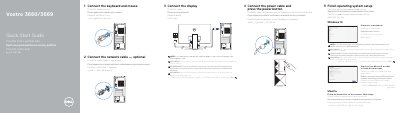
This guide shows how to connect the keyboard, mouse, network cable, display, and power cable, then finish operating system setup for the Dell Vostro 3660/3669. It also covers connecting to a network, signing in, locating Dell apps, and checking for updates.
The guide includes a numbered features list for the computer's ports and controls, plus product support, manual, regulatory, and safety information. The listed computer model is Vostro-3660/3669.
Connect the display to the discrete graphics card.
Use Dell.com/support and Dell.com/support/manuals.
Vostro-3660/3669.