
Inspiron 15 7000 Series Quick Start Guide
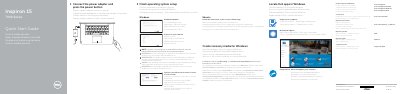
This is Dell's Quick Start Guide for the Inspiron 15 7000 Series laptop, computer model Inspiron 15-7568 (regulatory model P55F, regulatory type P55F002). The text is printed in several languages; the English steps cover connecting the power adapter and pressing the power button, finishing operating system setup, connecting to a network (including entering the password for a secured wireless network), signing in to a Microsoft account or creating a local account, and following the on-screen instructions.
The guide then shows where to find Dell apps in Windows, how to run SupportAssist and check for updates, how to register the computer, and how to create recovery media for Windows by typing Recovery in Windows search and choosing Create a recovery media. A second page illustrates the computer's features and ports and lists the keyboard shortcut keys for audio, playback, display, search, brightness, wireless and the Fn-key lock, plus notebook, tablet, tent and stand modes.
| Computer model | Inspiron 15-7568 |
|---|---|
| Regulatory model | P55F |
| Regulatory type | P55F002 |
| USB ports | USB 3.0, one with PowerShare |
| Video port | HDMI port |
| Card reader | Media-card reader |
Connect to your network during setup; if the network is secured, enter the wireless network password when prompted.
In Windows search, type Recovery, click Create a recovery media, and follow the instructions on the screen.
Dell lists Dell.com/support, Dell.com/support/manuals and Dell.com/contactdell for support, manuals and contacting Dell.
The shortcut keys include mute audio, decrease volume and increase volume.