
This document is a quick start guide for Dell computers, which introduces how to connect the power adapter, turn on the computer, finish Windows setup, enable security and updates, etc.
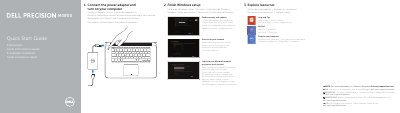
This guide helps you set up your Dell Precision M3800 computer. It includes steps to connect power, finish Windows setup, enable security, and connect to a network. The guide also lists hardware features like USB ports, HDMI, and camera.
For more detailed instructions, refer to the Owner’s Manual at dell.com/support/manuals.
| Model | Dell Precision M3800 |
|---|---|
| Regulatory Model | P31F |
| Input Voltage | 100 V AC–240 V AC |
| Input Current (Max) | 2.30 A/2.50 A |
| Input Frequency | 50 Hz–60 Hz |
| Output Voltage | 19.5 V DC |
| Output Current | 6.67 A |
Connect the power adapter and turn on your computer.
See Owner’s Manual at dell.com/support/manuals.
The regulatory model number is P31F.
Input voltage: 100 V AC–240 V AC; Input current (max): 2.30 A/2.50 A.