
Dell PowerEdge R640 Server Getting Started Guide

The Dell EMC PowerEdge R640 Getting Started Guide describes the features and characteristics of the product.
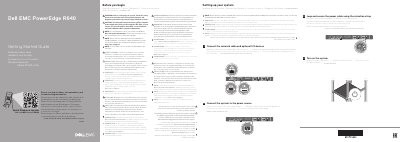

Dell PowerEdge R640 Server Getting Started Guide - cover page
Brand
DELL
Category
Servers Computer
Document type
Quick Start Guide
Language
English
Pages
2
File format
PDF
File size
408 KB
Published
25 November, 2023
Updated
25 November, 2023
MD5 checksum
5755CD0D1450F4FCD0F0D3FAD5549567

About this manual

This Dell EMC PowerEdge R640 Getting Started Guide helps users set up the server. It includes a Quick Resource Locator at Dell.com/QRL/Server/PER640 for how-to videos, documentation, and troubleshooting information.

The guide covers connecting the system to a power source and network, turning on the system, and safety cautions such as using EPP-compliant power supply units and installing the operating system first.

What's inside

  • Quick Resource Locator
  • Before you begin
  • Turn on the system
  • Setting up your system
  • Connect the system to the power source
  • Connect the network cable and optional I/O devices

Frequently asked questions

Where is the system documentation set available?

It is available at Dell.com/poweredgemanuals.

Which power supply units should be used with the system?

Use Extended Power Performance (EPP) compliant power supply units indicated by the EPP label.

What must be installed before adding hardware or software not purchased with the system?

The operating system must be installed first.

Where can I find how-to videos and troubleshooting information?

Scan the Quick Resource Locator at Dell.com/QRL/Server/PER640.

Download PDF (408 KB)

More DELL Manuals


View all DELL manuals →