
Dell Inspiron 24 3000 Series Quick Start Guide

Inspiron 24 3000 Series Quick Start Guide
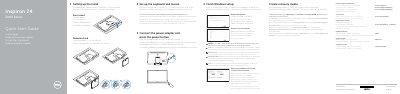

Dell Inspiron 24 3000 Series Quick Start Guide - cover page
Brand
DELL
Category
Desktops
Document type
Quick Start Guide
Language
English
Pages
2
File format
PDF
File size
463 KB
Published
25 November, 2023
Updated
25 November, 2023
MD5 checksum
77E4A6F82530A193D1B3DDF99116BF6E

About this manual

This Dell Quick Start Guide covers initial setup of the Inspiron 24 3000 Series computer, model Inspiron 24-3459. It explains how to set up the keyboard and mouse, connect the power adapter, and press the power button.

The guide also describes finishing Windows setup, enabling Dell updates, connecting to a network, and signing in to a Microsoft account or creating a local account. It includes product support contacts, regulatory information, and a diagram of the computer's features and ports.

What's inside

  • Set up the keyboard and mouse
  • Connect the power adapter and press the power button
  • Setting up the stand
  • Finish Windows setup
  • Connect to your network
  • Product support and manuals
  • Regulatory and safety
  • Create recovery media
  • Features
  • Locate Dell apps

Specifications

USB 3.0 ports2
USB 2.0 ports2
Optical driveoptional

Frequently asked questions

How do I set up the keyboard and mouse?

See the documentation that shipped with the keyboard and mouse.

How do I create recovery media?

In Windows search, type Recovery, click Create a recovery media, and follow the instructions on the screen.

Where can I find product support and manuals?

Visit Dell.com/support or Dell.com/support/manuals.

Download PDF (463 KB)

More DELL Manuals


View all DELL manuals →