
The Dell computer user manual introduces the safety, features and functions of the Dell computer.
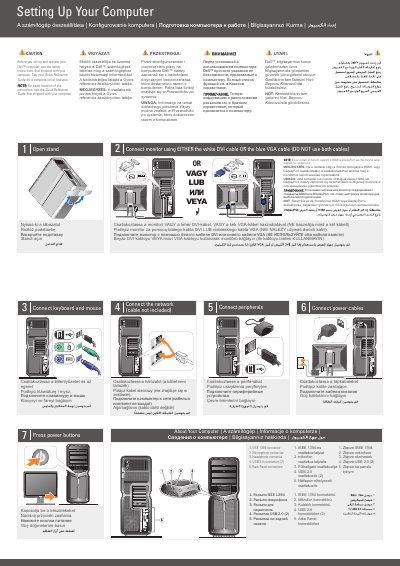
This Dell document provides setup instructions for the XPS 730/730X desktop computer. It covers connecting the keyboard and mouse, network cable, peripherals, and power cables, and pressing the power buttons.
It also shows how to connect a monitor using either a white DVI cable or a blue VGA cable, but not both. An optional wireless network section describes an Internet service, cable or DSL modem, wireless router, and desktop computer with network or USB wireless adapter.
| USB 2.0 connectors | 2 |
|---|---|
| Monitor connection | white DVI cable or blue VGA cable |
| Wireless network | Optional |
Use either the white DVI cable or the blue VGA cable, but do not use both cables together.
See the documentation for your computer or router for more information.
Go to support.dell.com.