
OptiPlex 7050 Micro Desktop Quick Start Guide
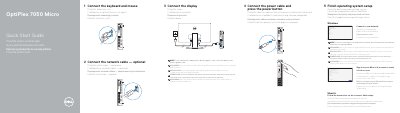
This is Dell's Quick Start Guide for the OptiPlex 7050 Micro computer. It walks through the first setup steps: connecting the keyboard and mouse, connecting the network cable (optional), connecting the display, connecting the power cable and pressing the power button, and finishing the operating system setup for Windows or Ubuntu.
The guide also lists where to find Dell apps such as SupportAssist, gives a numbered tour of the computer's features and ports, and points to Dell support, contact and regulatory compliance web pages. The text is repeated in several languages, and the document names regulatory model D10U, regulatory type D10U002 and computer model OptiPlex 7050 Micro.
| Computer model | OptiPlex 7050 Micro |
|---|---|
| USB Type-C port | USB 3.0 Type-C |
| Video output | HDMI port |
| Video output | DisplayPort |
| Network | Network port |
| Security | Kensington security cable slot |
| Antenna connector | SMA connector (optional) |
Connect the display to the discrete graphics card instead of the on-board video port.
Enter the password for the wireless network access when prompted.
Dell lists Dell.com/support and Dell.com/support/manuals for product support and manuals.
SupportAssist is listed for checking and updating the computer.