
Dell Latitude 13 laptop quick start guide.
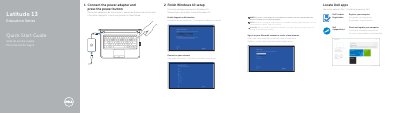
This two-page quick start guide from Dell covers the first steps for the Latitude 13 Education Series laptop: connecting the power adapter, turning the computer on, finishing Windows 10 setup, connecting to a wireless network, signing in with a Microsoft account or creating a local account, and locating Dell apps such as Product Registration and SupportAssist.
The second page shows a numbered diagram of the computer's features, including the microphone, camera, security-cable slot, power button, USB 3.0 and Mini DisplayPort/HDMI/RJ45 connectors, status lights, SD-card reader, headset connector, speakers and touchpad. The guide also points to Dell support and manuals pages, contact information and regulatory compliance information, and lists the regulatory model P47G and regulatory type P47G002.
| Computer model | Latitude-3350 |
|---|---|
| Regulatory model | P47G |
| Regulatory type | P47G002 |
| USB connectors | USB 3.0 |
| Video connectors | Mini DisplayPort, HDMI |
| Network connector | RJ45 |
| Card reader | SD-card reader |
| Audio connector | Headset connector |
Connect the power adapter and press the power button.
When prompted, enter the password for the wireless network access.
Dell provides them at Dell.com/support and Dell.com/support/manuals.