
Dell Latitude 13 7000 Series Notebook Quick Start Guide.
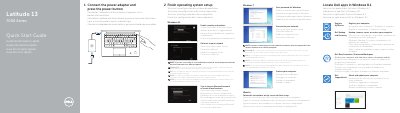
The quick start guide provides initial setup instructions for the Dell Latitude 13 7000 Series notebook. It walks through connecting the power adapter, pressing the power button, and completing operating system setup for Windows 8.1, Windows 7, or Ubuntu, including network connection, account creation, and locating Dell applications.
The guide also illustrates the notebook's features such as USB 3.0, USB Type-C, micro HDMI, card readers, optional fingerprint and smartcard readers, camera, and microphones. It directs users to Dell.com/support for product manuals, drivers, and regulatory compliance information, and lists the regulatory model P67G and computer model Latitude 7370.
| USB 3.0 connector | 1 |
|---|---|
| USB Type-C connectors | 2 |
| Micro HDMI connector | 1 |
| Micro SD card reader | 1 |
| Fingerprint reader | Optional |
| Camera | Integrated |
Connect the power adapter and press the power button.
Visit Dell.com/support or Dell.com/support/manuals for product support and manuals.