
Dell Tablet Quick Start Guide
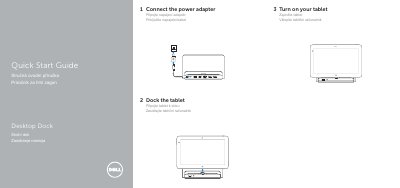
The Dell K10A Desktop Dock quick start guide shows how to connect the power adapter, turn on the tablet, and dock the tablet. It also gives Dell support and contact links.
The feature list names USB 3.0, audio, docking, power, network, HDMI, and DisplayPort connectors and a power status light. Regulatory information lists model K10A and input/output power ratings.
| Regulatory model | K10A |
|---|---|
| Input voltage | 100 V AC–240 V AC |
| Maximum input current | 1.30 A |
| Input frequency | 50 Hz–60 Hz |
| Output current | 2.31 A |
| Output voltage | 19.5 VDC |
| Power status light | Present |
The first step is to connect the power adapter.
The first listed connector is USB 3.0, followed by an audio connector.
The regulatory model number is K10A.
The listed input voltage is 100 V AC to 240 V AC.