
Dell Display Manager is a Microsoft Windows application used to manage a monitor or group of monitors. It allows manual adjustment of the displayed image, assignment of automatic settings, power management, window organization, image rotation and other functions on select Dell monitors.
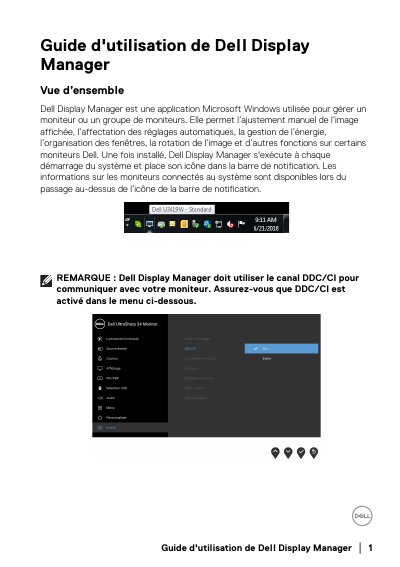
Dell Display Manager is a Microsoft Windows application used to manage a single Dell monitor or a group of monitors. It allows manual image adjustment, automatic settings, power management, window organization, image rotation and other functions on some Dell monitors. After installation it runs at system startup and places its icon in the notification bar. DDC/CI must be enabled on the monitor for DDM to communicate with it.
The guide explains the Quick Settings dialog, basic display functions, assigning preset modes to applications, Easy Arrange window layouts, managing multiple video inputs with PIP/PBP and USB upstream port assignment, restoring application window positions, PowerNap power-saving options, and troubleshooting. It notes that DDM works only with Dell monitors and lists monitor types that are not supported. This manual is written in French.
| Operating system | Microsoft Windows |
|---|---|
| Communication channel | DDC/CI |
| Supported monitors | Dell monitors only |
| Unsupported Dell monitors | Dell monitor models before 2013 and Dell D series monitors |
| Unsupported gaming monitors | Gaming monitors using NVIDIA G-sync technology |
| Virtual and wireless displays | Do not support DDC/CI |
| PIP/PBP modes | Off, PIP small, PIP large and PBP |
Dell Display Manager is a Microsoft Windows application used to manage a single monitor or a group of monitors.
No. DDM only works with Dell monitors and does not support monitors from other manufacturers.
Open the Manage Inputs tab; all video input ports available for your monitor are listed there.
On supported Dell models, an Options tab provides PowerNap energy-saving options, including setting minimum brightness or putting the monitor to sleep when the screen saver is activated.