
This is a quick start guide for Dell laptop, which introduces the basic functions and usage of the laptop.
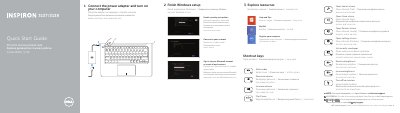
This guide helps set up a Dell Inspiron 3137/3138 computer, including connecting the power adapter, completing Windows setup, enabling security and updates, signing in, and connecting to a network.
It also lists shortcut keys, identifies hardware features and ports, and provides product support, manual, regulatory, and safety information.
| Computer model | Inspiron 3137/3138 |
|---|---|
| Regulatory model | P19T |
| USB 3.0 port | Included |
| USB 2.0 port | Included |
| HDMI port | Included |
| Network port | Included |
| Headset port | Included |
| Media-card reader | Included |
| Camera | Included |
| Digital microphones | 2 |
See Specifications at dell.com/support.
The computer model is Inspiron 3137/3138.
The regulatory model is P19T.
The guide identifies ports such as USB 2.0, USB 3.0, HDMI, network, headset, and a media-card reader, plus a camera and two digital microphones.