
This guide describes how to use the remote control for your HP ENVY Rove.
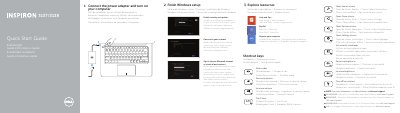
This two-page quick start guide from Dell covers the initial setup of the Inspiron 3137/3138 computer. It walks through connecting the power adapter and turning the computer on, finishing the Windows setup (security and updates, Microsoft account or local account), connecting to a network, and exploring the help, tips, registration and shortcut-key resources. A row of shortcut keys is described, including mute audio, volume up and down, play/pause, the Search, Share, Devices and Settings charms, listing recently used apps, brightness control and turning the wireless on or off.
The second page lists product support and manual links, Dell contact and regulatory compliance pages, and identifies the computer model and regulatory model and type. A labeled illustration of the computer's features is reproduced in five languages and covers the camera, digital microphones, security-cable slot, network, USB 2.0 and USB 3.0 ports, media-card reader, click areas, hard-drive and power/battery lights, headset port, HDMI port, power-adapter port, power button, regulatory label and Service Tag label.
| Computer model | Inspiron 3137/3138 |
|---|---|
| Regulatory model | P19T |
| Regulatory type | P19T001/P19T003 |
| Document date | 2013-09 |
| USB ports | USB 3.0 port and USB 2.0 ports |
| Video port | HDMI port |
| Network port | Network port |
| Audio port | Headset port |
| Microphones | Digital microphones (2) |
The guide is for the Inspiron 3137/3138 computer, with regulatory model P19T and regulatory type P19T001/P19T003.
Dell points to dell.com/support and dell.com/support/manuals for product support and manuals.
The guide lists dell.com/regulatory_compliance for regulatory and safety information.
Enable security and updates, then sign in to your Microsoft account or create a local account, and connect to your network.