
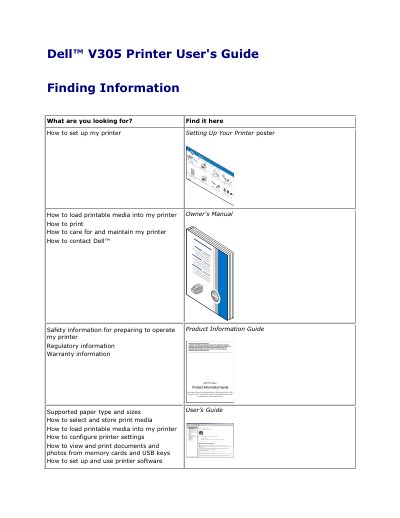
The Dell™ V305 Printer User's Guide Finding Information What are you looking for? Find it here How to set up my printer Setting Up Your Printer poster How to load printable media into my printer How to print How to care for and maintain my printer How to contact Dell™ Owner's Manual Safety information for preparing to operate my printer Regulatory information Warranty information Product Information Guide Supported paper type and sizes How to select and store print media How to load printable media into my printer How to configure printer settings How to view and print documents and photos from memory cards and USB keys How to set up and use printer software User's Guide What are you looking for? Find it here How to care for and maintain my printer How to troubleshoot and solve problems NOTE: Your User's Guide is located on the Drivers and Utilities CD or on the Web at support.dell.com. Software and Drivers—Certified drivers for your printer and installers for Dell printer software Readme files—Last minute technical changes, or advanced technical reference material for experienced users or technicians Drivers and Utilities CD NOTE: If you purchased your Dell computer and printer at the same time, documentation and drivers for your printer are already installed on your computer. How to identify your printer when you use support.dell.com or contact support How to find the Express Service Code to direct your call when contacting support Service Tag and Express Code Stickers These la
This guide provides step-by-step instructions for setting up, operating, and maintaining the Dell V305 printer. It includes details on loading media, configuring settings, printing from memory cards and USB devices, and using the operator panel. The manual also covers troubleshooting, warranty, and support resources including the Dell Support Website and online supplies.
Technical specifications are included, such as 32 MB SDRAM, USB 2.0 connectivity, and power requirements (100–240 V AC). The printer is rated for 3,000 pages per month duty cycle and has a printer life of 12,000 pages.
| Memory | 32 MB SDRAM |
|---|---|
| Flash Memory | 4 MB FLASH |
| Connectivity | USB 2.0 high-speed |
| Duty Cycle | 3,000 pages per month |
| Printer Life | 12,000 pages |
| Power Input | 100 to 240 V AC |
| Power Consumption | 11 W (standby), 22.5 W (operational) |
Use the paper support and paper guide to load paper properly. Refer to the section 'How to load printable media into my printer' for detailed steps.
The printer is rated for an average duty cycle of 3,000 pages per month.
Visit support.dell.com or contact Dell support using your Express Service Code. Documentation and drivers are also available on the Drivers and Utilities CD or online.
The printer consumes 11 W in standby mode and 22.5 W in operational mode.