
This guide describes how to set up and use your Windows tablet.
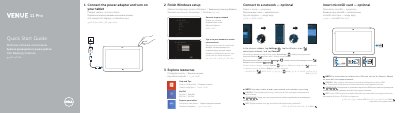
This is the Dell quick start guide for the Venue 11 Pro tablet (tablet model Venue 5130, regulatory model T06G). It walks through the first steps: connecting the power adapter and turning on the tablet, finishing Windows setup, optionally connecting to a network from the charms sidebar, inserting a microSD card, registering the tablet, and exploring resources such as Help and Tips and My Dell.
The guide also includes a labeled list of tablet features and stylus parts, support and contact links, regulatory and safety information, and the NOM (Norma Oficial Mexicana) details including input and output ratings. The instructions are printed in English together with Polish, Russian, Turkish, and Arabic translations.
| Regulatory model | T06G |
|---|---|
| Regulatory type | T06G001 |
| Tablet model | Venue 5130 |
| Input voltage | 100 V AC–240 V AC |
| Input current (maximum) | 1.00 A–1.30 A |
| Input frequency | 50 Hz–60 Hz |
| Output current | 1.2 A / 1.54 A |
| Output voltage | 19.5 VDC |
In the charms sidebar, tap Settings, tap the Wireless icon, select your network, and tap Connect. You may need to activate your network service before connecting.
Dell refers you to the Owner's Manual on www.dell.com/support/manuals.
The regulatory model is T06G, with regulatory type T06G001, and the tablet model is Venue 5130.