
Dell Venue 10 Pro Keyboard (K13M) User Manual

The Dell Venue 10 Pro Keyboard is a versatile keyboard that can be used as an extended keyboard, stand mode, tablet mode, and tent mode. It also supports the Dell Mini Active Pen.
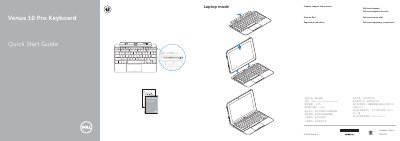

Dell Venue 10 Pro Keyboard (K13M) User Manual - cover page
Brand
DELL
Document type
User Manual
Language
Chinese
Pages
2
File format
PDF
File size
368 KB
Published
25 November, 2023
Updated
25 November, 2023
MD5 checksum
183873CDD1FE52FB2454EAD1C3A4140B

About this manual

This manual explains how to use the Dell Venue 10 Pro Keyboard (K13M) in different modes including laptop, tablet, stand, and tent. It also covers using the Dell mini Active Pen and disconnecting the tablet.

The manual includes safety and regulatory information, contact details for Dell support, and manufacturer details including importers and production locations. This manual is written in Chinese.

What's inside

  • Laptop mode
  • Tablet mode
  • Stand mode
  • Tent mode
  • Using the Dell mini Active Pen
  • Disconnecting the tablet
  • Regulatory and safety
  • Contact Dell

Frequently asked questions

What operating modes are supported by the Dell Venue 10 Pro Keyboard (K13M)?

The device supports Laptop mode, Tablet mode, Stand mode, Tent mode, and the ability to disconnect the tablet.

What is the rated input current for the Dell Venue 10 Pro Keyboard (K13M)?

The rated input current is 2 Amperes.

Download PDF (368 KB)

More DELL Manuals


View all DELL manuals →