
Dell Vostro 15 3000 Series Quick Start Guide
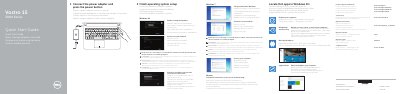
The guide starts with connecting the power adapter and pressing the power button, then covers finishing operating system setup, connecting to a network, signing in to a Microsoft account or creating a local account, and setting a Windows password. It also points to Dell apps in Windows 8.1, including SupportAssist, computer registration, Dell Backup and Recovery, and Dell Help & Support.
The second page lists laptop features such as the camera, microphone, security-cable slot, power button, optical drive, USB 2.0 and USB 3.0 connectors, headset connector, touchpad, speakers, memory-card reader, VGA connector, network connector, power connector, battery, and Service-Tag label. It also lists shortcut keys for audio, playback, display, search, keyboard backlight, brightness, wireless, Fn-key lock, sleep, and the power/battery-status and hard-drive activity light.
| Computer model | Vostro 15-3559 |
|---|---|
| Regulatory model | P52F |
| Regulatory type | P52F003 |
| USB 2.0 connectors | Present |
Connect the power adapter and press the power button.
SupportAssist checks and updates your computer.
The guide says to see the Owner’s Manual at dell.com/support.
The guide names the computer model Vostro 15-3559.