
The Dell Latitude 14 7000 Series Quick Start Guide provides information on how to set up and use your Dell Latitude 14 7000 Series laptop.
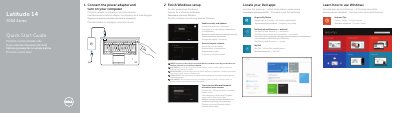
This quick start guide walks through getting a Dell Latitude 14 7000 Series laptop (computer model Latitude 7450/E7450) up and running: connecting the power adapter, turning on the computer, finishing Windows setup, locating the Dell apps and registering the device.
It also identifies the laptop's features and connectors, including the battery-status, hard-drive activity, power, camera, and wireless-status lights, the camera and microphones, USB 3.0 connectors (one with PowerShare), HDMI and Mini-DisplayPort connectors, a headset connector, memory card reader, network connector, and optional smart-card/NFC, fingerprint, and dock connectors. Support links and regulatory identifiers (regulatory model P40G, type P40G002) are included.
| Computer model | Latitude 7450/E7450 |
|---|---|
| Regulatory model | P40G |
| Regulatory type | P40G002 |
| USB connectors | USB 3.0 connectors, including one with PowerShare |
| Display connectors | Mini-DisplayPort and HDMI |
| Optional readers | Contactless smart-card/NFC reader, fingerprint reader, smart card reader |
| Status lights | Battery, hard-drive activity, power, camera and wireless |
The guide covers the Dell Latitude 7450/E7450, part of the Latitude 14 7000 Series.
The regulatory model is P40G and the regulatory type is P40G002.
Product support and manuals are available at dell.com/support and dell.com/support/manuals.
If connecting to a secured wireless network, enter the password for wireless network access when prompted.