
The Dell Latitude 7480 Quick Start Guide provides information on how to set up and use the Dell Latitude 7480 laptop.
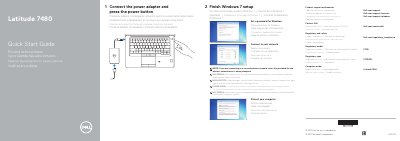
This Dell Latitude 7480 Quick Start Guide describes connecting the power adapter and pressing the power button, finishing Windows 7 setup, setting a Windows password, connecting to a network, and protecting the computer. It also lists product support and manual links, contact information, and regulatory and safety references.
A features page labels the computer's camera, camera status light, microphones, power button, security cable slot, network port, USB 3.0 port with PowerShare, microSD port, USIM port, headset port, optional fingerprint reader, optional NFC sensor, status light, speakers, touchpad, optional smartcard reader, optional pointstick, USB 3.0 ports, HDMI port, optional DisplayPort over USB Type-C (Thunderbolt 3), power connector port, and service tag label. The guide identifies regulatory model P73G, regulatory type P73G001, and computer model Latitude 7480.
| Regulatory model | P73G |
|---|---|
| Regulatory type | P73G001 |
| Computer model | Latitude 7480 |
Connect the power adapter and press the power button.
The guide includes a step to finish Windows 7 setup.
The guide lists Dell.com/support, Dell.com/support/manuals, and Dell.com/support/windows.
The regulatory model is P73G.