
This document describes how to connect the keyboard, mouse, display, and power cord.
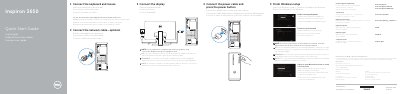
The Dell Inspiron 3650 Quick Start Guide provides step-by-step instructions for connecting essential peripherals, including the keyboard, mouse, display, and power cable, and completing the Windows setup process.
It also includes a detailed map of the computer's external features, such as USB ports, audio ports, and power supply diagnostic tools.
| Voltage | 100 V Ca–127 V Ca / 200 V Ca–240 V Ca |
|---|---|
| Frequency | 50 Hz–60 Hz |
| Input Current Consumption | 7.0 A / 3.5 A / 4.0 A |
Connect the display to the discrete graphics card.
Enter the password for the wireless network access when prompted.