
Dell Chromebook 11 3189 Quick Start Guide

The Chromebook 11 3189 Quick Start Guide provides instructions on how to set up and use the Chromebook 11 3189.
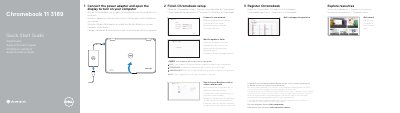

Dell Chromebook 11 3189 Quick Start Guide - cover page
Brand
DELL
Category
Laptops
Document type
Quick Start Guide
Language
English
Pages
2
File format
PDF
File size
625 KB
Published
24 November, 2023
Updated
24 November, 2023
MD5 checksum
61B99160EFFA5B9EBB777A069071A37D

About this manual

This Dell Chromebook 11 3189 Quick Start Guide walks new users through initial setup, including connecting to a network, waiting for updates, and signing into a Google account. It also shows where to register the computer, find support resources, and identifies the main hardware features such as the camera, USB 3.0 ports, HDMI port, and microSD card reader.

What's inside

  • Finish Chromebook setup
  • Connect to your network
  • Wait for update to finish
  • Sign in to your Google account or create a new account
  • Register Chromebook
  • Features
  • Help Center
  • Product support and manuals
  • Contact Dell
  • Regulatory and safety

Specifications

Computer modelChromebook 11 3189
USB ports3.0
Audio jackUniversal
Card readermicroSD

Frequently asked questions

How do I turn on the Dell Chromebook 11 3189?

Connect the power adapter and open the display.

What happens after a Google update?

The computer will restart.

What is the computer model?

Chromebook 11 3189.

Download PDF (625 KB)

More DELL Manuals


View all DELL manuals →