
Dell Inspiron 24-5459 Quick Start Guide

Dell Inspiron 24-5459 Quick Start Guide
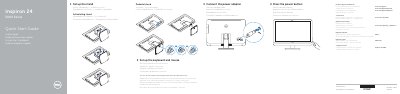

Dell Inspiron 24-5459 Quick Start Guide - cover page
Brand
DELL
Category
All-in-One Desktops
Document type
Quick Start Guide
Language
English
Pages
2
File format
PDF
File size
265 KB
Published
24 November, 2023
Updated
24 November, 2023
MD5 checksum
78108B341DD654AB846ED0EB654E05FE

About this manual

The Dell Inspiron 24-5459 Quick Start Guide provides setup instructions in several languages. It explains how to connect the power adapter, press the power button, set up the stand, and configure the keyboard and mouse.

The guide lists computer features such as microphones, camera, media-card reader, USB ports, HDMI ports, and audio ports. It also covers finishing Windows setup, setting a password, connecting to a network, and protecting the computer.

What's inside

  • Connect the power adapter
  • Press the power button
  • Set up the keyboard and mouse
  • Set up the stand
  • Features
  • Finish Windows setup
  • Connect to your network
  • Protect your computer

Specifications

USB 3.0 ports2
USB 2.0 ports4
HDMI-in port1
HDMI-out port1

Frequently asked questions

How do I turn on the computer?

Press the power button.

How do I connect to a secured wireless network?

Enter the password for the wireless network access when prompted.

What series is this Quick Start Guide for?

It is for the Inspiron 24 5000 Series.

Download PDF (265 KB)

More DELL Manuals


View all DELL manuals →