
Dell Latitude 7389 Quick Start Guide
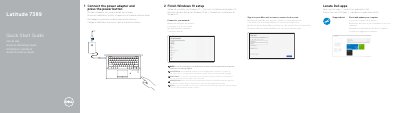
This guide covers the initial setup of the Dell Latitude 7389, including connecting the power adapter, pressing the power button, completing Windows 10 setup, connecting to a network, signing in with a Microsoft account or creating a local account, locating Dell apps, and checking for computer updates.
The features section lists the computer's ports and components, including USB 3.1 Gen 1 ports, HDMI, DisplayPort over USB Type-C, a headset port, uSIM and microSD card slots, an optional fingerprint reader, optional NFC sensor, optional smart card reader, cameras, microphones, speakers, and a Noble Wedge lock slot. Features may vary depending on the ordered configuration.
| Computer model | Latitude 7389 |
|---|---|
| USB port | USB 3.1 Gen 1 port with PowerShare |
| Video ports | HDMI port; DisplayPort over USB Type-C |
| Card slots | uSIM card slot; microSD card slot |
| Security features | Noble Wedge lock slot; optional fingerprint reader; optional smart card reader |
Connect the power adapter and press the power button.
Finish Windows 10 setup, connect to your network, and sign in to your Microsoft account or create a local account.
Support and manuals are available at Dell.com/support and Dell.com/support/manuals.
Yes. The features may vary depending on the configuration you ordered.