
Dell Precision Mobile Workstation 5000 Series Quick Start Guide

The Dell Precision Mobile Workstation 5000 Series Quick Start Guide provides information on how to set up and use the Dell Precision Mobile Workstation 5000 Series laptop.
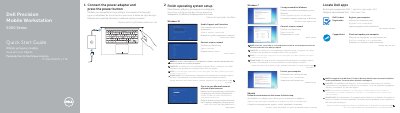

Dell Precision Mobile Workstation 5000 Series Quick Start Guide - cover page
Brand
DELL
Category
Laptops
Document type
Quick Start Guide
Language
English
Pages
2
File format
PDF
File size
659 KB
Published
24 November, 2023
Updated
24 November, 2023
MD5 checksum
F03DDE0D7ACBF7EF37CED51F19CAA3DF

About this manual

This document serves as a Quick Start Guide for the Dell Precision 5510 Mobile Workstation. It outlines the initial setup steps, including connecting the power adapter, finishing operating system setup, and connecting to a network. It also provides instructions for registering the computer and enabling support services.

What's inside

  • Connect the power adapter
  • Finish operating system setup
  • Connect to your network
  • Protect your computer
  • Features
  • Product support and manuals
  • Regulatory and safety

Frequently asked questions

What is the first step to start using the workstation?

Connect the power adapter and press the power button.

What should you do when connecting to a secured wireless network?

Enter the password for wireless network access when prompted.

What is required when upgrading from Windows 7 32-bit to Windows 10?

A manual installation of the system drivers is required.

What computer model is identified in the guide?

Dell Precision 5510.

Download PDF (659 KB)

More DELL Manuals


View all DELL manuals →