
Dell OptiPlex 5250 All-in-One Quick Start Guide

OptiPlex 5250 All-in-One Quick Start Guide
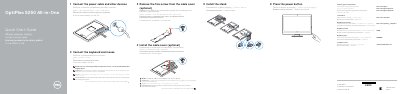

Dell OptiPlex 5250 All-in-One Quick Start Guide - cover page
Brand
DELL
Category
All-in-One Desktops
Document type
Quick Start Guide
Language
English
Pages
2
File format
PDF
File size
689 KB
Published
24 November, 2023
Updated
24 November, 2023
MD5 checksum
F6D7E09A19223BA4D2FFEB6A1960EC00

About this manual

The Dell OptiPlex 5250 All-in-One Quick Start Guide provides step-by-step instructions for setting up the computer, including connecting power, peripherals, and installing the stand.

It includes a detailed map of the device's features, such as available ports, status lights, and optional components like the camera and optical drive, as well as guidance for completing the Windows 10 setup process.

What's inside

  • Connect the power cable and other devices
  • Connect the keyboard and mouse
  • Install the cable cover
  • Install the stand
  • Features
  • Finish Windows 10 setup
  • Connect to your network

Specifications

Operating SystemWindows 10

Frequently asked questions

How do I connect a wireless keyboard or mouse?

Refer to the documentation that shipped with the wireless keyboard or mouse.

Is the cable cover screw required?

No, securing the cable cover using the Torx screw is optional.

Download PDF (689 KB)

More DELL Manuals


View all DELL manuals →