
The Dell Precision Mobile Workstation 7000 Series Quick Start Guide provides information on how to set up and use your Dell Precision Mobile Workstation 7000 Series laptop.
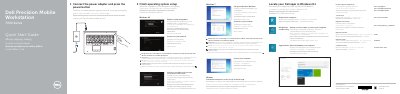
The Dell Precision Mobile Workstation 7000 Series Quick Start Guide provides essential instructions for initial setup, including power connection, operating system configuration, and network connectivity.
It also includes a detailed hardware feature map identifying ports, connectors, and status lights for the computer model Dell Precision -7710.
| Computer model | Dell Precision -7710 |
|---|---|
| Regulatory model | P29E |
| Regulatory type | P29E001 |
Connect the power adapter and press the power button.
Connect the power adapter and then press the power button.
Enter the password for the wireless network access when you are prompted to do so.