
The document describes the installation instructions for the Logitech Connect.
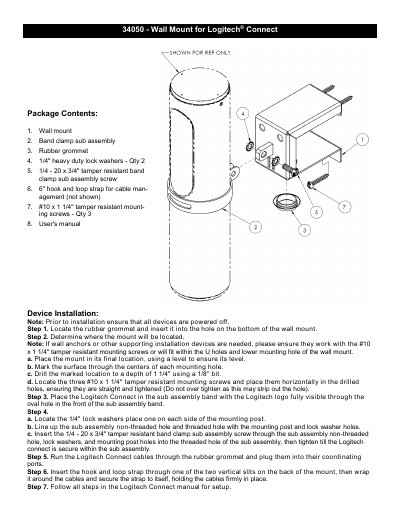
This document provides installation instructions for the Logitech Connect Wall Mount, part number 34050. The package contents include a wall mount, band clamp sub assembly, rubber grommet, lock washers, mounting screws, a hook and loop strap, and a user's manual.
Installation steps cover inserting the rubber grommet, marking and drilling the wall, mounting the bracket, placing the Logitech Connect in the band clamp, routing cables through the grommet, and securing cables with the hook and loop strap. Users are directed to the Logitech Connect manual for device setup.
| Model number | 34050 |
|---|---|
| Lock washer quantity | 2 |
| Band clamp screw size | 1/4 - 20 x 3/4" |
| Hook and loop strap length | 6" |
| Mounting screw size | #10 x 1 1/4" |
Ensure that all devices are powered off.
Place it in the sub assembly band with the logo visible through the oval hole, then tighten the screw until it is secure.
Wrap the hook and loop strap around the cables and secure it to itself.