
Dell Inspiron 15 5000 Series Quick Start Guide

This document describes how to set up Windows.
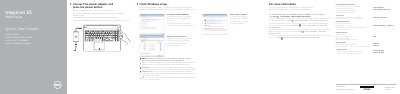

Dell Inspiron 15 5000 Series Quick Start Guide - cover page
Brand
DELL
Category
Laptops
Document type
Quick Start Guide
Language
English
Pages
2
File format
PDF
File size
179 KB
Published
19 November, 2023
Updated
19 November, 2023
MD5 checksum
3C6CC0FFA2FCC5B3C5759CC60ACC541D

About this manual

This quick start guide helps users complete Windows setup on Dell Inspiron 15 5000 Series laptops, including connecting the power adapter, setting up a Windows password, and connecting to a network. It also directs users to Dell help documentation for advanced features.

The guide illustrates the laptop's hardware features such as ports, camera, microphones, and battery, and provides a multilingual shortcut key reference for audio, display, brightness, wireless, and sleep functions.

What's inside

  • Finish Windows setup
  • Set up password for Windows
  • Connect to your network
  • Protect your computer
  • Product support and manuals
  • Features
  • Shortcut keys
  • Regulatory and safety

Frequently asked questions

How do I connect to a secured wireless network during setup?

Enter the password for the wireless network access when prompted.

What steps are required to start using the computer immediately?

To begin, you must connect the power adapter and then press the power button.

How do I access the Dell Help Documentation for advanced options?

Click Start, then All Programs, and finally Dell Help Documentation.

What specific action is needed when connecting to a secured wireless network?

You must enter the password for the wireless network access when prompted.

Download PDF (179 KB)

More DELL Manuals


View all DELL manuals →