
The Cisco TelePresence Touch product manual describes the 8‑inch, 10‑inch, and 12‑inch touch screen devices, their features, specifications, and ordering…
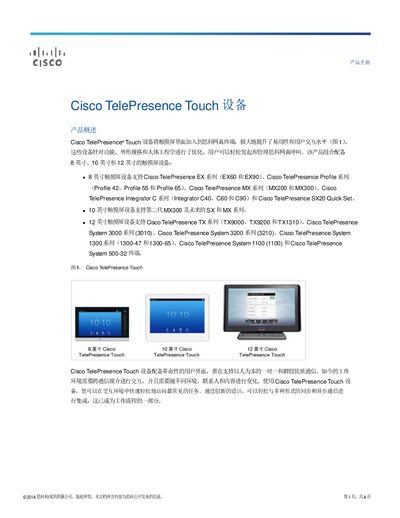
The Cisco TelePresence Touch devices add a capacitive touch screen interface to Cisco TelePresence endpoints, improving usability and user interaction. Available in 8‑inch, 10‑inch and 12‑inch sizes, they support a range of Cisco TelePresence systems and provide a consistent, ergonomic user experience.
The manual outlines key features such as one‑touch call initiation, content sharing, and PoE power options, and includes detailed specifications, compatibility tables, warranty information, and ordering instructions for each screen size. This manual is written in Chinese.
| Screen size (8‑inch) | 8‑inch diagonal |
|---|---|
| Resolution (8‑inch) | 800 × 480 pixels |
| Power | PoE (Power over Ethernet) |
| Weight (with handset) | 2.1 lb (0.94 kg) |
| Operating temperature | 0 °C to 40 °C |
| Language support | Arabic, English, Simplified Chinese, … |
The Touch devices are offered in 8‑inch, 10‑inch, and 12‑inch touch screen models.
The 8‑inch Touch works with Cisco TelePresence EX series (EX60, EX90), Profile series, Integrator C series, Quick Set series, and MX series.
The device can be powered via Power over Ethernet (PoE) or through the connected codec, depending on the model.
Ordering details are available on the Cisco Ordering homepage; see Table 2 in the manual for part numbers.