
Lorex LNE9292 Security Camera Quick Start Guide

This manual describes how to connect a Logitech webcam to a computer.
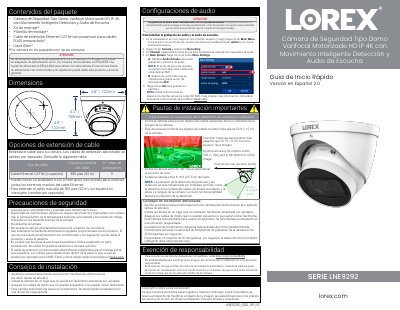

Lorex LNE9292 Security Camera Quick Start Guide - cover page
Brand
Lorex
Category
Security Software
Document type
User Manual
Language
Spanish
Pages
2
File format
PDF
File size
1 MB
Published
17 November, 2023
Updated
17 November, 2023
MD5 checksum
BC39905FF2D3DAD0A93A077A35A5DD9E

About this manual

This document is a Quick Start Guide for the Lorex LNE9292, a motorized varifocal HD IP 4K dome security camera. It provides instructions for unboxing, physical installation, and connecting the camera to a Lorex HD NVR or a network switch. This manual is written in Spanish.

What's inside

  • Configuraciones de audio
  • Pautas de instalación importantes
  • Consejos de instalación adicionales
  • Conectando las cámaras
  • Problema Solución
  • Ajuste del zoom y del enfoque

Specifications

ResolutionHD IP 4K
Max Cable Length300 pies (92 m)
Frame Rate20 fps (Smart Detection) / 30 fps (Max)
Mounting Height8-16 ft (2,5-5 m)
Dimensions4.8” / 122mm

Frequently asked questions

What is the maximum cable extension distance?

The maximum cable extension distance is 300 feet (92 meters).

Does the camera support night vision?

Yes, it features automatic IR mechanical cut-off for night vision.

Download PDF (1 MB)

More Lorex Manuals


View all Lorex manuals →