
This manual is for LNZ32P4 series 4x IP PTZ dome camera. It introduces the features and characteristics of the camera, installation and usage methods and precautions.
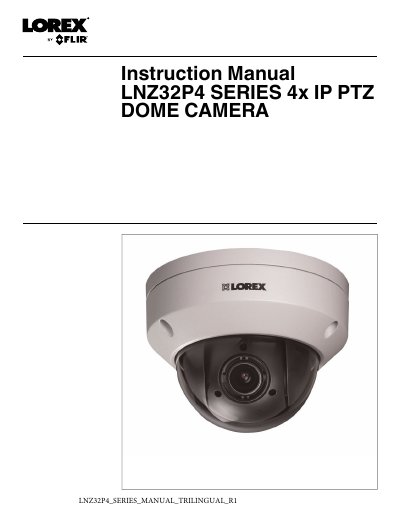
This manual provides step-by-step instructions for installing and operating the Lorex LNZ32P4 4x IP PTZ dome camera. It covers connecting the camera to an NVR or local network, mounting options, PTZ controls including presets and tours, and troubleshooting. The camera features a 1/2.7" CMOS sensor, 4x optical zoom, and IP66 weatherproof rating for both indoor and outdoor use.
Technical specifications include 1080p resolution, 0.1 Lux low-light performance, and PoE power delivery. Safety warnings and installation tips are included to ensure proper setup and safe operation.
| Image Sensor | 1/2.7", CMOS |
|---|---|
| Video Format | NTSC / PAL |
| Resolution | Up to 1080p |
| Pan/Tilt Range | 0°~355° Pan; 0°~90° Tilt |
| Zoom | 4x Optical Zoom & 16x Digital Zoom |
| Min. Illumination | 0.1 Lux in Color; 0.05 Lux in Black and White |
| Lens Type | 2.7mm ~ 11mm, F1.6 ~ F2.7 / Auto / Manual Focus |
| Power Requirement | PoE (Power over Ethernet, Class 2); 12V DC (Optional) |
| Operating Temperature Range | -22°F ~ 140°F / -30°C ~ 60°C |
| Operating Humidity Range | <95%RH |
| IP Rating | IP66 |
Connect the PoE connector on the camera cable to the included Ethernet extension cable, then connect the extension cable to a PoE port on your NVR. Compatible with all Lorex HD NVRs except LNR200 & LNR300 Series.
PoE (Power over Ethernet) allows Ethernet cables to carry electrical power to connected devices. Compatible NVRs use integrated PoE ports to provide power and PTZ commands to the camera, as well as video connection over a single CAT5E cable.
Yes, the camera is rated for outdoor use and is weatherproof when properly installed. It is recommended to install it in a sheltered area, such as under the eaves on a roof.
Use the included Allen key to remove the dome cover, then press and hold the reset button for at least 10 seconds. The camera will reset to default settings.