
Lorex Home Center L871T8-Z is a home monitoring center launched by Lorex company. It can connect to your router and devices, and provide a seamless home monitoring solution. It has easy-to-navigate quality features that will be an extension of your home.
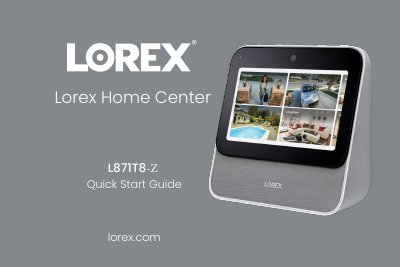
The Lorex Home Center L871T8-Z is a home monitoring solution designed to provide a seamless experience. The guide details the contents of the box, including the power adapter, Ethernet cable, and storage options, and describes the device's physical features such as the touch screen, speakers, and various ports.
To get started, users must choose a central location with good connectivity and follow the on-screen prompts to complete the initial setup. The guide covers creating security passcodes and device passwords, setting up Face Unlock, and connecting the device to a router via wired, wireless, or offline methods. It also explains how to add compatible cameras, doorbells, and sensors, and provides instructions for using touchscreen gestures and voice commands.
| Passcode length | 6-digit |
|---|---|
| Device Password minimum length | 8 characters |
| Power requirement | Included power supply |
| Usage environment | Indoor use only |
You must perform a hardware reset by pressing down on the reset button until a warning pop-up appears.
Yes, voice control also works in offline mode.
It requires a dual-band router with 2.4GHz/5GHz and 5GHz Wi-Fi network enabled.