
Lorex LNWDB1 HD Video Doorbell Quick Start Guide

This quick start guide introduces how to install Lorex HD Video Doorbell.
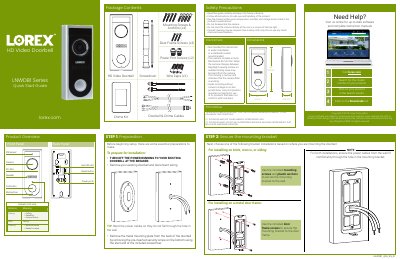

Lorex LNWDB1 HD Video Doorbell Quick Start Guide - cover page
Brand
Lorex
Category
Other products
Document type
Quick Start Guide
Language
English
Pages
2
File format
PDF
File size
2.2 MB
Published
21 October, 2023
Updated
21 October, 2023
MD5 checksum
8946DC98BE56E5CD34149F3E76299785

About this manual

This guide provides instructions for preparing for the installation of the Lorex LNWDB1 HD Video Doorbell. It details the necessary preparations, such as turning off power, and lists the contents of the package including the doorbell, chime kit, and mounting hardware. Safety precautions and specific installation steps for different wall types are also included.

What's inside

  • Preparation
  • Package Contents
  • Safety Precautions
  • Mounting Bracket Installation
  • Wiring the Doorbell
  • Wiring the Chime
  • Connecting to Lorex Home App
  • Finalize Installation

Specifications

Model NumberLNWDB1

Frequently asked questions

How do I determine if my doorbell chime is mechanical?

If your doorbell chime is a classic ding-dong sound, it is likely mechanical. You can also remove the cover panel to check for spring-loaded levers and a physical metal chime.

What does a pulsing LED on the doorbell indicate?

A pulsing LED indicates that the doorbell is calling, resetting, or has an active hotspot.

Download PDF (2.2 MB)

More Lorex Manuals


View all Lorex manuals →