
Huawei TX50 is a set-top box that can be connected to a TV to provide TV programs and on-demand services. It supports 4K resolution and has HDR function. It can also be connected to the Internet to provide online streaming services.
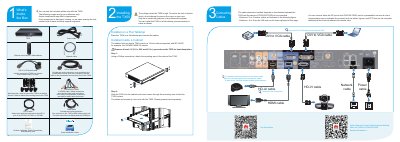
This document provides instructions for unpacking the Huawei TX50 Videoconferencing Endpoint and installing it on a flat tabletop or inside a 19-inch cabinet. It details the included cables and the specific connection methods for distances up to 5 meters or greater than 5 meters.
| Cabinet Compatibility | 19-inch cabinet compliant with IEC 60297 |
|---|---|
| Heat Dissipation Space | 2 U (88.9 mm/3.5 in.) |
| Power Supply Requirement | External power supply |
Yes, you can install the TX50 on a flat tabletop or inside a cabinet using mounting ears and screws.
Press and hold the menu button until the UI appears.
It indicates that the device is overheated.