
This guide provides a quick start guide for the first operation of the PW4NX A C B D D D Mobile Printer.
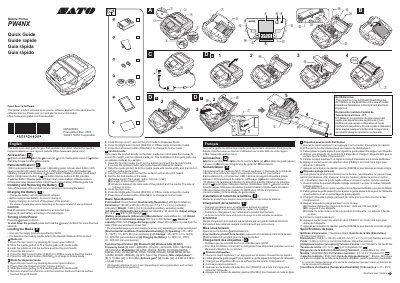
This quick start guide covers the first operation of the SATO PW4NXA C B D D D mobile printer. It identifies parts and accessories, including the lithium-ion battery, belt clip, screws, 1-inch media guide cores, and warranty leaflet. It also explains installing and removing the battery, charging with an optional AC adapter, turning the power on or off, and loading media for roll, dispenser, and fan-fold use.
The document lists basic specifications such as direct thermal printing, 203 dpi resolution, dimensions, weight, AC adapter and lithium-ion battery ratings, and operating, storage, and charging environmental conditions. It also includes Bluetooth, wireless LAN, and NFC frequency and output information, plus open source software and RoHS/IFT notes. For details, it refers users to the operator manual on the regional SATO website.
| Print method | Direct thermal |
|---|---|
| Head density (Resolution) | 203 dpi (8 dots/mm) |
| Dimensions | 180 (W) x 195 (D) x 85 (H) mm |
| Weight | 1,440 g (3.2 lb), including a battery, excluding media |
| AC adapter input voltage | AC 100-240 V, 50 Hz-60 Hz |
| AC adapter output voltage | DC 19 V 2.37 A |
| Battery nominal voltage | DC 14.4 V |
| Battery nominal capacity | 2500 mAh |
| Operating environment | −15 to 50°C (5 to 122°F), 10-90% RH non-condensing |
Press and hold the power button.
It uses the GM/250BAT4S-SM lithium-ion battery.
Charge it before use with an optional AC adapter.
It uses direct thermal printing.