
The Sony HT-SF200 is a soundbar with the following features: 1. Supports HDMI and optical digital audio input 2. Supports Bluetooth connectivity 3. Has multiple sound modes 4. Comes with a remote control
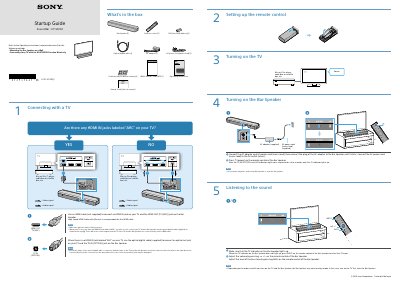
This is the printed Startup Guide for the Sony HT-SF200 Sound Bar. It lists the items supplied in the box, explains how to prepare the remote control, and walks through the basic connections needed to get sound from a TV to the bar speaker. Wall mounting of the bar speaker and wireless Bluetooth connection to a Sony TV are covered in the separate Operating Instructions.
The guide then shows how to power the bar speaker with the supplied AC adapter and AC power cord, how to select the TV input, and how to adjust volume and bass with the remote control. HDMI and optical connection options are illustrated, including the note that an optical digital cable is also needed when the TV has no HDMI IN jack labeled "ARC".
| Supplied batteries | R03 (size AAA) battery (2) |
|---|---|
| Power supply | AC adapter and AC power cord (mains lead), both supplied |
| HDMI output jack | HDMI OUT (TV (ARC)) |
| Optical input jack | TV IN (OPTICAL) |
| Recommended HDMI cable | High Speed HDMI Cable with Ethernet |
| Supplied accessories | Remote control (1), optical digital cable (1), cushion pads for wall mounting (2), WALL MOUNT TEMPLATE (1), Operating Instructions, Startup Guide |
Use an HDMI cable (not supplied) to connect an HDMI IN jack on your TV to the HDMI OUT (TV (ARC)) jack on the bar speaker.
Use the supplied optical digital cable to connect the TV's optical out jack to the TV IN (OPTICAL) jack on the bar speaker; there will be no sound over HDMI alone.
Connect the AC adapter and AC power cord, then press the power button on the remote control of the bar speaker.
Adjust the level of the bass tone by pressing BASS on the remote control of the bar speaker.